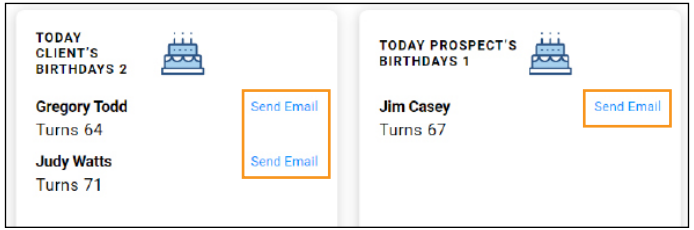
1. Login to AEGLeads.com. Once you are logged in, you will see the Birthdays event boxes. Since the coverage and premium for many insurance policies depends on age, birthdays are a great time to reach out to clients and prospects for a policy review. You can send an email right from this page using the Send Email link.
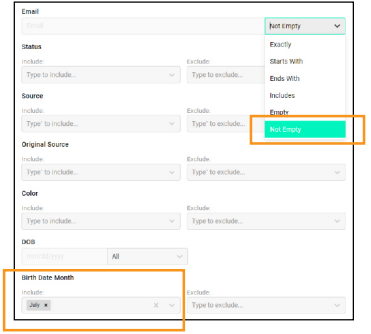
2. Upcoming Birthdays: You can also run a monthly birthday email campaign. In the Advanced Search select Birthday Month and Email: Not Empty. This will give you a list of contacts for your selected month who have email addresses available. Select All and click Email. Select the Birthday email from the library and choose Send.
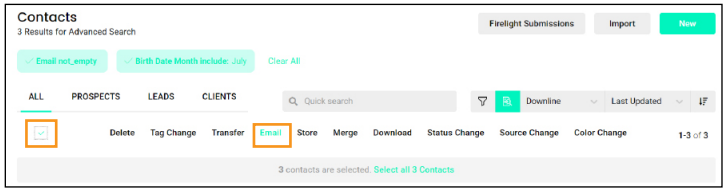
3. Personalized Email: When you click Email Library, you will see your marketing email library. Choose the “Happy Birthday” message and click Send Now to send immediately. Without any extra work -- these emails are personalized with your name, phone number, email address, and photo.

4. Mail A Card: You can also mail these clients/prospects a birthday card. Select each contact you want to send a card to by clicking the box to the left of their name and then clicking Store.
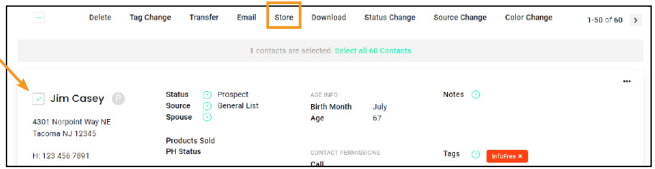
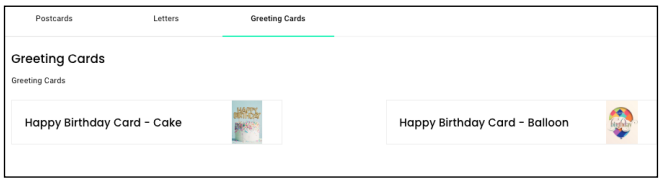
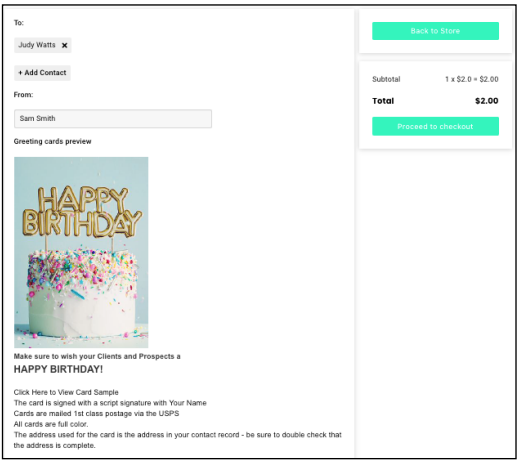
5. Card Options: This will bring you to the storefront where you have a few card options available for purchase. Choose Happy Birthday Card and follow the steps for checking out. The birthday cards are personalized with your signature and your name on the inside as well as your company and office address on the back. The cards cost $2 each and they are printed and mailed on your behalf in 2-5 days